
Interactive Physics
Physics Simulation Software for the Classroom
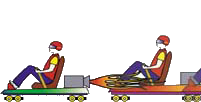

Interactivity is key
Interactive Physics helps students visualize and learn abstract concepts. It also lets you and your students alter the physical properties of the simulation environment, and view changes in important measurements while the simulation runs.
An easy-to-use interface
If you can use a mouse, you can use Interactive Physics. There is no programming required.
- Create objects by drawing circles, blocks, and polygons
- Measure velocity, acceleration, force, momentum, energy, etc., in metric or English units
- Create ropes, springs, dampers, pulleys, slots, linear actuators, and rotational motors
- Hear and measure sound volumes, sound frequencies, and Doppler effects
- Vary air resistance, gravity, or material properties
- Create visually appealing presentations by attaching graphics to objects
- View results as numbers, graphs, and animated vectors
Discovery Oriented
Interactive Physics is a powerful tool for discovery learning. It develops inquiry skills and physics knowledge by allowing the user to vary nearly any physical parameter (e.g., gravity, force, speed, spring constants) and to measure its effect on nearly any measurable quantity (e.g., position, torque, decibel level).
 Quote
Quote Evaluation


